

Salvo Smart Key Manager Case Study: Loading Bay RFID Safety

BACKGROUND
OVERVIEW
The particular leading retail distributor chose the Salvo Smart Key Manager option to deal with Third Party Drivers. In the past, drivers’ keys would be hooked on a local key board — subject to abuse, with keys not placed on the correct bays or handed back before completion of loading. The new system allows the company to trap drivers’ keys using the wire loop attached to the Smart Key. Every operation is monitored by the SKM, providing a full audit trail of who made each transaction.
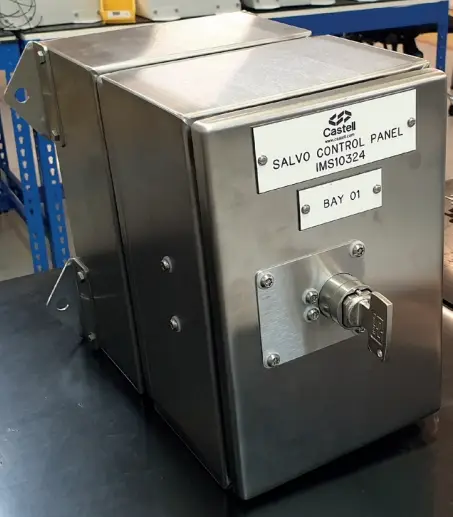
The Salvo Smart Key Manager comprises of:
- A lock that controls the movement of articulated coupled or uncoupled trailers — Salvo Susie or SGL
- An interface to control third party driver keys — Smart Key Manager (SKM)
- A lock that controls the opening of the loading bay door via the Salvo Susie or SKM — Salvo Control Panel (SCP)
- Data Analysis is also collated from the door operation
STEP BY STEP
SCENARIO 1 — COMPANY DRIVER / SHUNTER (Artic Vehicle)
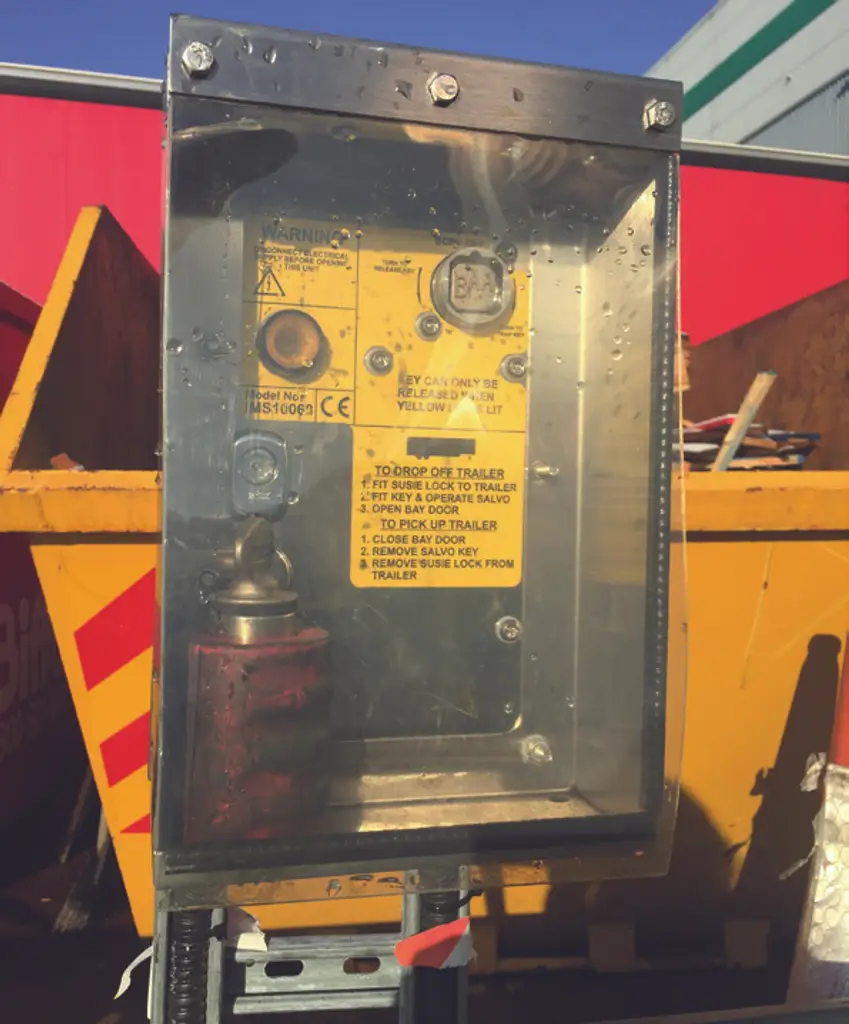
- The driver/shunter parks at the correct loading bay.
- Removes the Susie Lock from the SCP, typically located by the side of the bay.
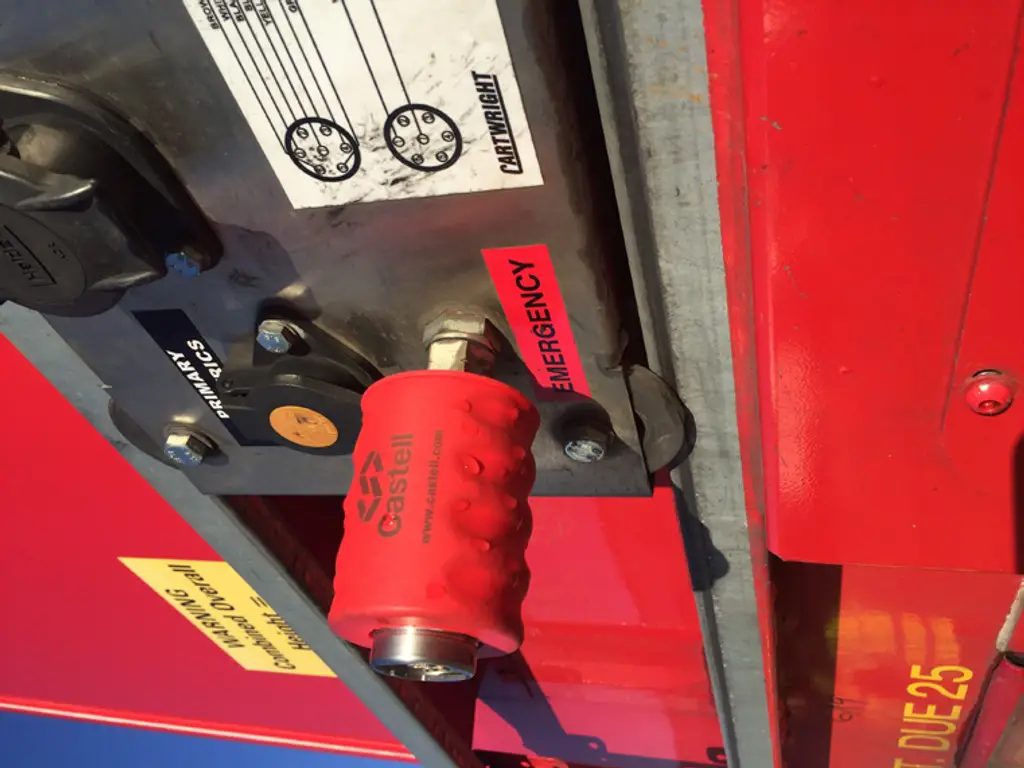
- Removes the emergency airline and fits the Susie lock over the airline — this releases the trapped key.
- Traps this key in the SCP; the internal amber light illuminates, signifying that it is safe to load/offload.
- The loader opens the door and loads/offloads the vehicle.
- When loading is finished, the door is closed, allowing the key to be removed from the SCP by pressing and holding the release button and turning the key.
- The driver traps the key in the Susie lock and releases the emergency brake line by removing the Susie lock and re-attaching the brake line.
- The Susie lock is returned to the SCP and the driver can leave the site.
STEP BY STEP
SCENARIO 2 — THIRD PARTY DRIVERS (Artic & Rigid Vehicles)
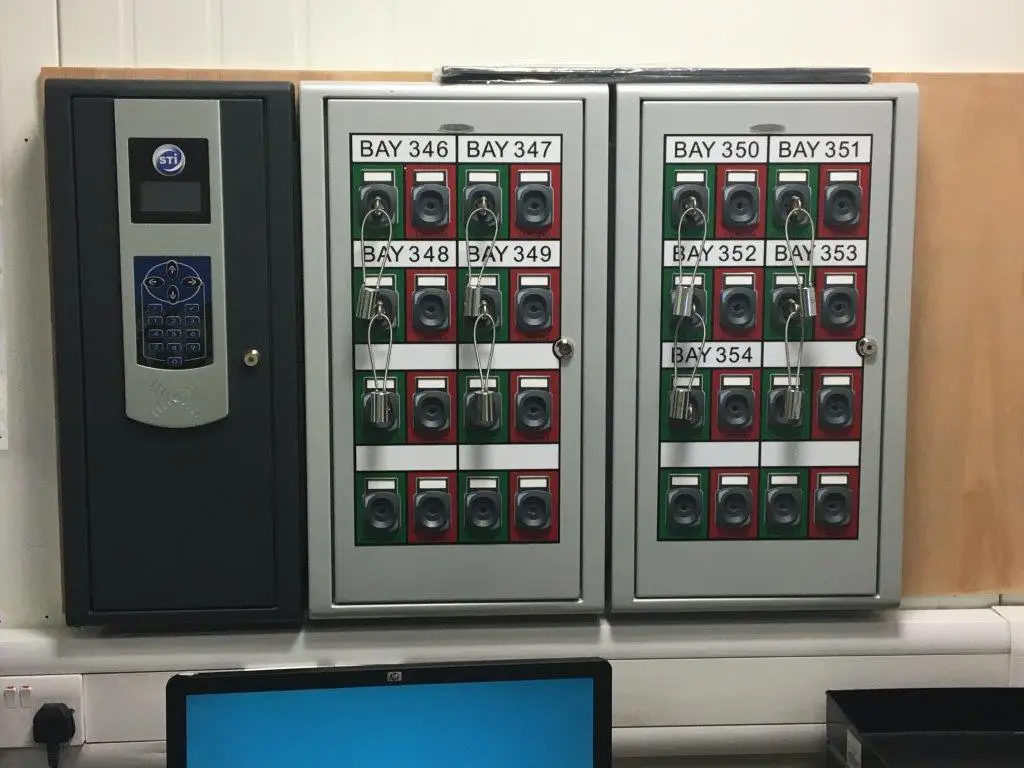
- Third party driver parks at the correct loading bay, directed by Gatehouse staff.
- Driver walks to the drivers’ reception and hands ignition keys to the SKM Warehouse Clerk, stating the bay number.
- The SKM Warehouse Clerk presents their personal RFID (Radio Frequency Identification swipe card) in front of the central unit scanner.
- The Clerk types the bay number the driver has parked on; an ‘available’ slot is unlocked.
- Clerk releases the key & loop holder from the ‘available’ slot and attaches the driver’s ignition keys.
- The key holder is then presented in front of the central unit scanner to illuminate the correct key position.
- Clerk presents RFID again to acknowledge that the driver’s keys have been added.
- The key is then inserted and turned in the ‘Loading’ slot position.
- The SKM notifies SCP that the key & loop holder is trapped in the ‘loading’ slot — the beacon illuminates and the loading bay door can be opened.
- When the door is opened, the LED illuminates on the SKM.
- The loader opens the door; SCP notifies SKM that the key holder cannot be released from the ‘loading’ slot.
- Loading/unloading takes place.
- When loading/unloading is complete, the loader closes the door — SCP notifies SKM that the key holder can be released from the ‘loading’ slot.
- The Clerk presents RFID and enters the bay number, unlocking the ‘loading’ slot. The key holder can now be released.
- SKM notifies SCP and door controls that the key holder is released from the loading slot — the door cannot be opened.
- The Clerk detaches the ignition key from the holder and returns it to the third party driver, who can then leave the loading bay.
- The Clerk presents the key & loop holder in front of the central unit scanner, then presents RFID to unlock the ‘available’ slot.
- The Clerk traps the key & loop holder in the ‘available’ slot, ready for the next vehicle.
WHAT’S NEW
BENEFITS OF THE NEW DESIGN
Complete Audit Trail
Every SKM transaction is monitored and recorded – full accountability for who released or inserted each key.
Prevents Key Abuse
Driver keys are physically trapped – they cannot be misplaced, assigned to the wrong bay, or returned before loading is complete.
Supports Mixed Driver Types
Dual-scenario system handles both company drivers/shunters and third party drivers within the same infrastructure.
RFID-Secured Operations
Personal RFID card authentication ensures only authorised warehouse clerks can release or assign driver keys.
Real-Time Status Feedback
Beacon and LED indicators on the SKM and SCP provide instant visual confirmation of bay status at all times.
Data Analysis Capability
Door operation data is collected through the system, enabling operational insight and performance monitoring.

CONTACT SALES
Looking to upgrade your loading bay safety?
Speak to our team about how Castell’s trapped-key interlock solutions can fit your site — from articulated trailers to mixed third-party driver workflows.